
3Ds Max

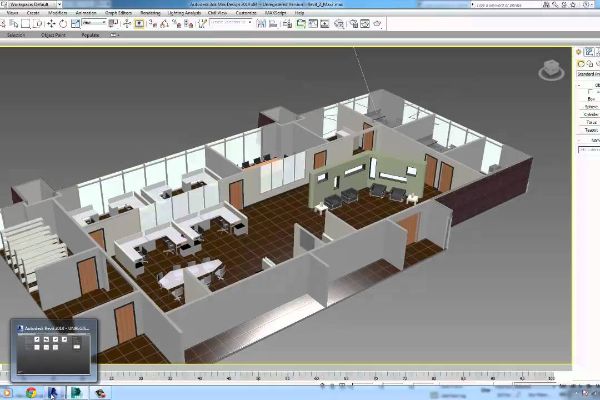
This course is designed to teach participants the fundamentals of working in 3D using an array of features and tools in 3Ds Max. It is dedicated to animation, modelling, materials, lighting, and rendering.
The main objective of this course is to teach participants geared towards real-world tasks encountered by the primary users of Autodesk 3Ds Max Design: professional in the Architecture, Interior Design, Civil Engineering, and Product Design industries.
PREREQUISITES
Experience with 3D modeling,
Knowledge of a CAD application such as AutoCAD or Revit or Inventor .
TARGET GROUP
Beginner users who want to learn about 3D environments and want to use 3ds Max Design for Design Visualization.
Duration
3 Days (21 hours)
Course Achievement
Certificate of Completion by Autodesk
At the end of the course, you will be able to:
- Introduction to Autodesk 3ds Max Design
- Autodesk 3Ds Max Design Interface and Workflow
- Assembling Files by importing, linking, or merging
- 3D Modelling with Primitives and 2D Objects
- Using Modifiers to create and modify 3D objects
- Materials
- Autodesk 3Ds Max Design Lighting
- Lighting with Autodesk 3Ds Max Design mental ray
- Rendering and Cameras
- Animation for Visualization
BENEFITS OF 3Ds Max TRAINING

Comprehensive Project Visualization

Efficient Design Development

Construction Visualization

Professional Development
View Course Content
DAY 1
- Navigating the Workspace
- Transforming Objects Using Gizmos
- Graphite Modeling Tools Set
- Command Panel
- Time Slider and Track Bar
- File Management
- Setting Up a Project Workflow
- The Secret to Accurate Modeling
- Building a Simple Model
- Creating Details Using Splines
- Lathing, Extruding and Beveling to Create 3D from 2D
- Bringing It All Together
- Setting Up The Scene
- Building The Room
- Adding Special Details to The Room
DAY 2
- Modeling The Couch
- Modeling The Lounge Chair
- Bringing It All Together
- Animating The Ball
- Reading Animation Curves
- Refining The Animation
- Anticipating and Momentum in Knife Throwing
- Setting Up the Scene
- Blocking Out The Alien Model
- Creating The Alien Head
- Building The Alien Hand
- Building The Foot
- Completing The Alien
- Navigating The Slate Material Editor
- Identifying The Standard Material
- Identifying The Mental Ray Material
- Identifying Shaders
- Building Materials For The Couch
- Building Materials For The Lounge Chair
- Building Materials For The Window
DAY 3
- Defining UVs On The Alien Body
- Unwrapping UVs On The Alien’s Body
- Building And Applying Material To The Alien
- Character Studio Workflow
- Associating a Biped With
- The Alien Model
- Skinning The alien Model
- Animating The Alien
- Freeform animation
- Modifying Animation In The Dope Sheet
- Recognizing 3Ds Max Lights
- Lighting a Still Life
- Atmospheric and Effects
- The Light Lister
- Navigating The Render Setup Dialog
- Rendering a Scene
- Working With Cameras
- Raytraced Reflections and Refractions
- Rendering The Interior and Furniture
- Navigating The Mental Ray Renderer
- Navigating The Final Gather Parameters
- Navigating Mental Ray Materials
- Using Photometric Lights In Mental Ray Renderings
- Using The Daylight System